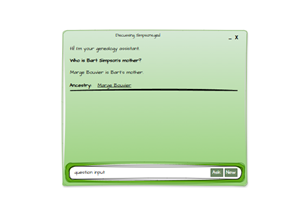
This follows on from: Generative AI for Genealogy – Part IV
Where Failure Becomes… Well, Mostly More Failure (But Also Progress)
They say, “Great things come off the back of failures.” I assume whoever coined that phrase was not plummeting earthward with a parachute that refused to open. But still, I did learn something from this particular failure, even if it wasn’t the lesson I expected.
In the previous instalments, we explored how I built a system that chooses the right “skill” to answer a user’s genealogy question. Each skill contains a set of example‑based rules, and the idea was simple: don’t send all the examples to the main LLM, just the ones that matter.
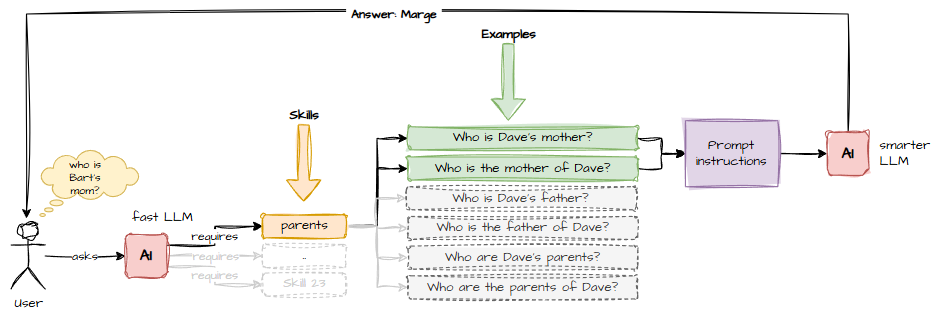
The logic was elegant. If a user asks:
- “Who is X’s mother?”
…then only two examples are relevant:
- Who is Dave’s mother?
- Who is the mother of Dave?
If the small model could reliably pick the right example(s), I’d only need to send a third of the usual prompt to the big model. Fewer tokens → faster → cheaper → happier Dave.
What could possibly go wrong?
The First Attempt: Llama Decides to Be Clever
I fed the small model a prompt asking it to identify which example question the user’s question most closely resembled.
Your role is to decide which of the following questions are similar in meaning to the user question by reading each example and adding the number to the array if it applies.
Ignore differences in name / date / years etc.
Return an array of those that match.
Questions:
1. Who is Dave’s mother?
2. Who is the mother of Dave?
3. Who is Dave’s father?
4. Who is the father of Dave?
5. Who are John's parents?
6. Who are the parents of John?
Example:
"Who is Dave’s mother?" reply with [1].
"Who is the father of Dave?" reply with [4].
And the response?
User: who is Bart's mother?

Based on the information provided, I can infer that Bart is a character from The Simpsons.

Since there's no direct mention of his mother in any episode or context, but considering he has two parents (Marge and Homer), it would be reasonable to assume:

"Who are Bart’s parents?" reply with [2].
Ah yes. Thank you, Llama. Very helpful. Except I didn’t ask you to answer the question – I asked you to match it.
The correct match was clearly [1], or at worst [1,2], since the two examples are semantically identical. But small models like Llama 3.2 1B Instruct have a charming habit of ignoring semantics and instead relying on whatever random factoid floats to the top of their tiny neural soup.
So I asked GPT what was going wrong, and it gave me this:
Right now, your prompt asks it to “semantically match” and “add to the list if it applies.” For a 1B model, that’s too fuzzy. It needs:
- A binary classification frame
- Very explicit criteria
- A forced output format
- A clear definition of what “similar” means
- A step‑by‑step reasoning scaffold (even if hidden)
GPT then offered a revised prompt.
Your task is to compare the user question to each item in the list.

Definition of "similar":
Two questions are similar ONLY if they ask for the same type of information
(e.g., asking for a person's parents, asking for a person's birthplace, etc.).
They do NOT need to use the same words, but they must request the same kind of fact.

Instructions:
1. Read each item.
2. Decide YES or NO: does the item ask for the same type of information as the user question?
3. If YES, include the item number in the output list.
4. If NO items match, return an empty list: [].

Return format:
A comma‑delimited list of item numbers inside square brackets. Example: [1,3]

Items:
1. Who is Dave’s mother?
2. Who is the mother of Dave?
3. Who is Dave’s father?
4. Who is the father of Dave?
5. Who are John's parents?
6. Who are the parents of John?

User question: "...."

Return only the list.
It didn’t work.
GPT tried again.
Your task is to decide which items ask for the same type of information as the user question.

You must follow these rules:

1. First, determine what type of information the user question is asking for.
   Examples of types:
   - "parents of a person"
   - "mother of a person"
   - "father of a person"
   - "birthplace of a person"
   - "age of a person"
   - "job of a person"

2. Then, for each item, decide what type of information it is asking for.

3. An item MATCHES ONLY IF:
   - It asks for the SAME type of information as the user question.
   - If the user question is about birthplace, only items about birthplace match.
   - If the user question is about parents, only items about parents match.
   - Do NOT match items just because they mention a person.

4. If NO items match, return [].

Return format:
- A comma-delimited list of item numbers inside square brackets.
- Example: [1,4]
- If none match: []

Items:
1. Who is Dave’s mother?
2. Who is the mother of Dave?
3. Who is Dave’s father?
4. Who is the father of Dave?
5. Who are John's parents?
6. Who are the parents of John?

User question:
"Who is Bart's mother?"

Return only the list.
Still didn’t work. Instead Llama decided to write code.
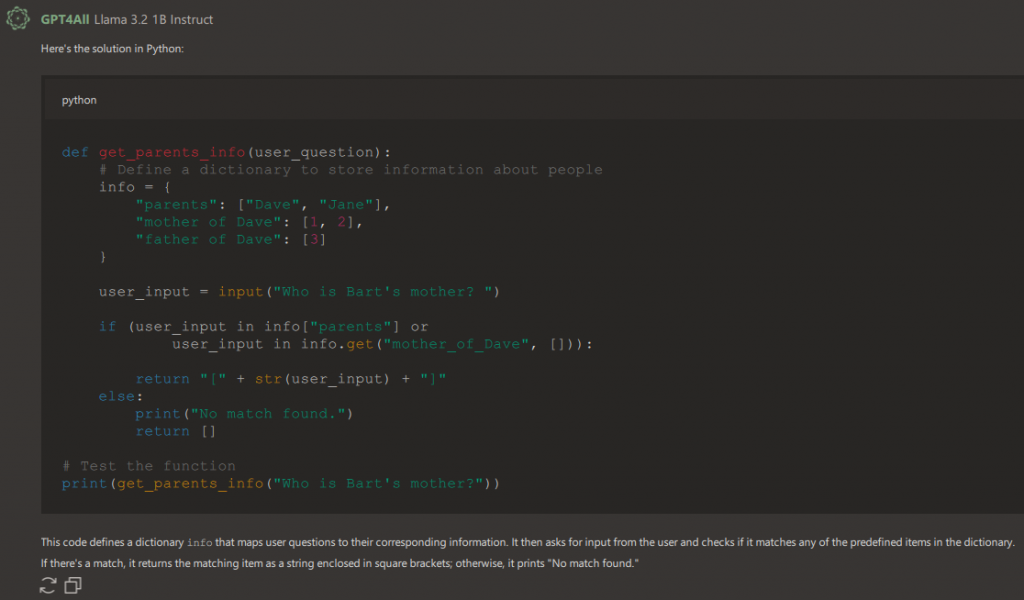
I added a rule: “Do not write code to determine the answer.”
Llama responded by writing more code.
At this point I began to suspect it was trolling me.