Testing
(or: how I stopped suffering and learned to love Haiku)
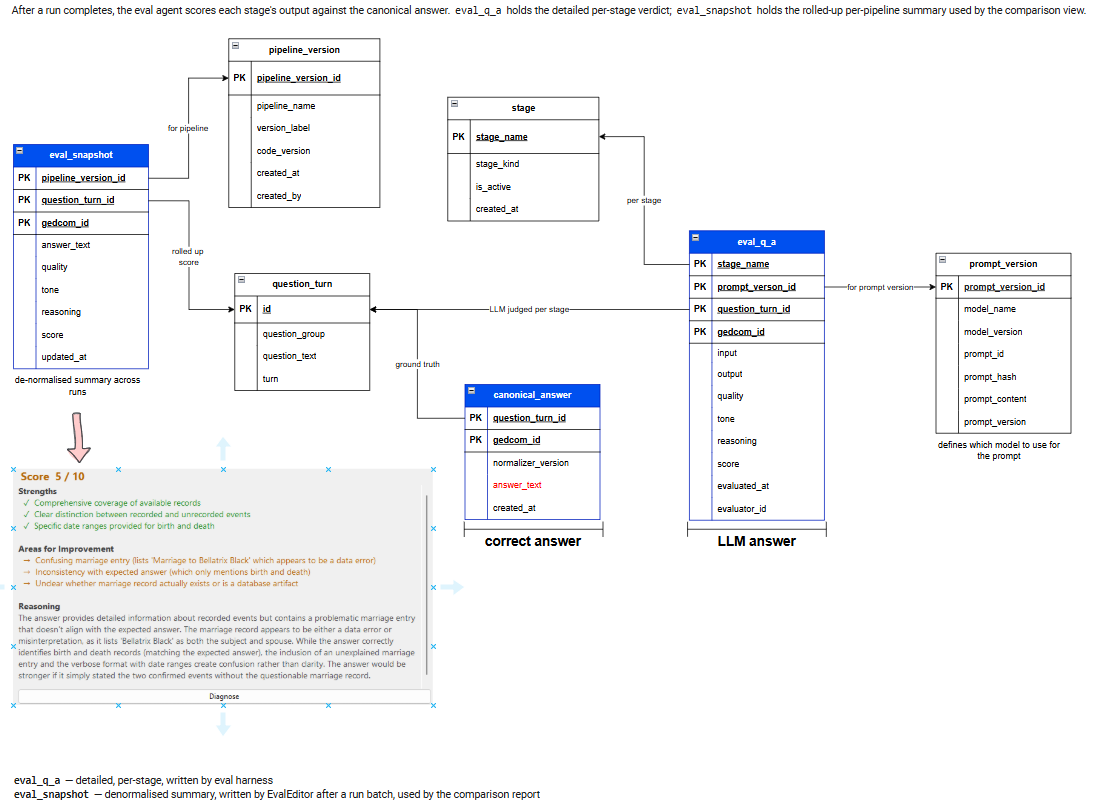
Here’s the database schematic — the tables are unmistakably the handiwork of Claude.
It’s neat, structured, and looks exactly like something an AI would produce after being told, “No, really, please stop being clever and just follow the spec.”
One of my biggest Qwen2.5 battles was performance. Running a test suite — a simple YAML file of questions — became a form of psychological endurance training. I’d hit “run”, wait an hour, and then discover half the answers were technically correct but marked wrong because the model had decided to express itself creatively.
Models, even at temperature 0, love to rephrase things. They can’t help it. It’s in their nature. Ask for “Mary”, get “Mary (spouse of Dave)”. Ask for “1944”, get “the year 1944”. Ask for “yes”, get “indeed”.
String‑matching? Absolutely not. Regex? A coin toss. My sanity? Hanging by a thread.
During active development, prompts changed constantly. Testing took aeons. I’d fix an answer one day, only to break it again the next. It was like playing whack‑a‑mole with a blindfold on.
Then Haiku arrived.
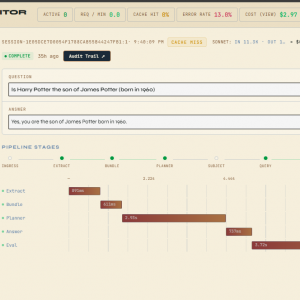
Haiku is shockingly good. And fast. After adopting Haiku for most tasks (with Sonnet still doing the planning), I realised something: I could make the model mark its own homework.
If you haven’t tried this, you should. You give the model:
- the question
- the answer
- the scoring rules
…and it returns a score with a reason. Anthropic even teaches this technique in their training, so I’m comfortable sharing a version of the scoring prompt.
You are a genealogy answer reviewer. Your task is to evaluate the following AI-generated answer.

Original Question:
<question>
{{question}}
</question>

Answer to Evaluate:
<answer>
{{answer}}
</answer>

# Output Format
Provide your evaluation as a structured JSON object with the following fields, in this specific order:
- "quality": An array of 0-3 key qualities
- "tone": An array of 0-3 key areas for improvement
- "reasoning": A concise explanation of your overall assessment
- "score": A number between 1-10

Respond with JSON. Keep your response concise and direct.
Example response shape:
{
    "quality": string[],
    "tone": string[],
    "reasoning": string,
    "score": number
}
We plug in the question and answer, and out comes a neat little scorecard.
You may have noticed the screenshot includes a [Diagnose] button. This is where things get magical.
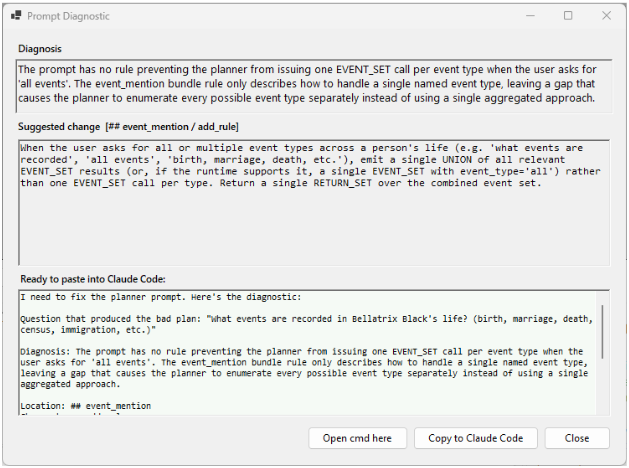
If a question scores below 7 — which is my “absolutely not” threshold — I click Diagnose. The system feeds in:
- the question
- the plan
- the answer
- the facts
- the prompts
- the context
- the entire chain of reasoning
…and the model diagnoses the failure.
Yes. It tells me what went wrong. It tells me what to change. It gives me a ready‑to‑paste suggestion for Claude to fix the prompt.
I’ve gone from:
- pasting prompts into Bing Copilot
- or begging GitHub Copilot to make sense of logs
- or manually spelunking through YAML
…to a streamlined, elegant, self‑diagnosing workflow.
Bing Copilot is brilliant, but I can’t share all my code with it — so it’s like asking a mechanic to diagnose an engine noise without being allowed near the car.
GitHub Copilot would burn thousands of tokens trying to interpret logs like a Victorian medium communing with spirits.
But this? This works. And the best part? Claude helped build the whole diagnostic tool in about ten minutes. I drafted the spec, nudged it in the right direction, and Claude did the heavy lifting.